
Konto IS for Shopify: Automatic Invoices for Every Order
With Konto IS, every paid order in your Shopify store automatically receives a legal Icelandic invoice — with the correct VAT, order lines, and discounts. No manual work required. Invoices appear both in Shopify and in your Konto invoice overview, ready for bookkeeping and VAT returns.
- 1
Find and install Konto IS
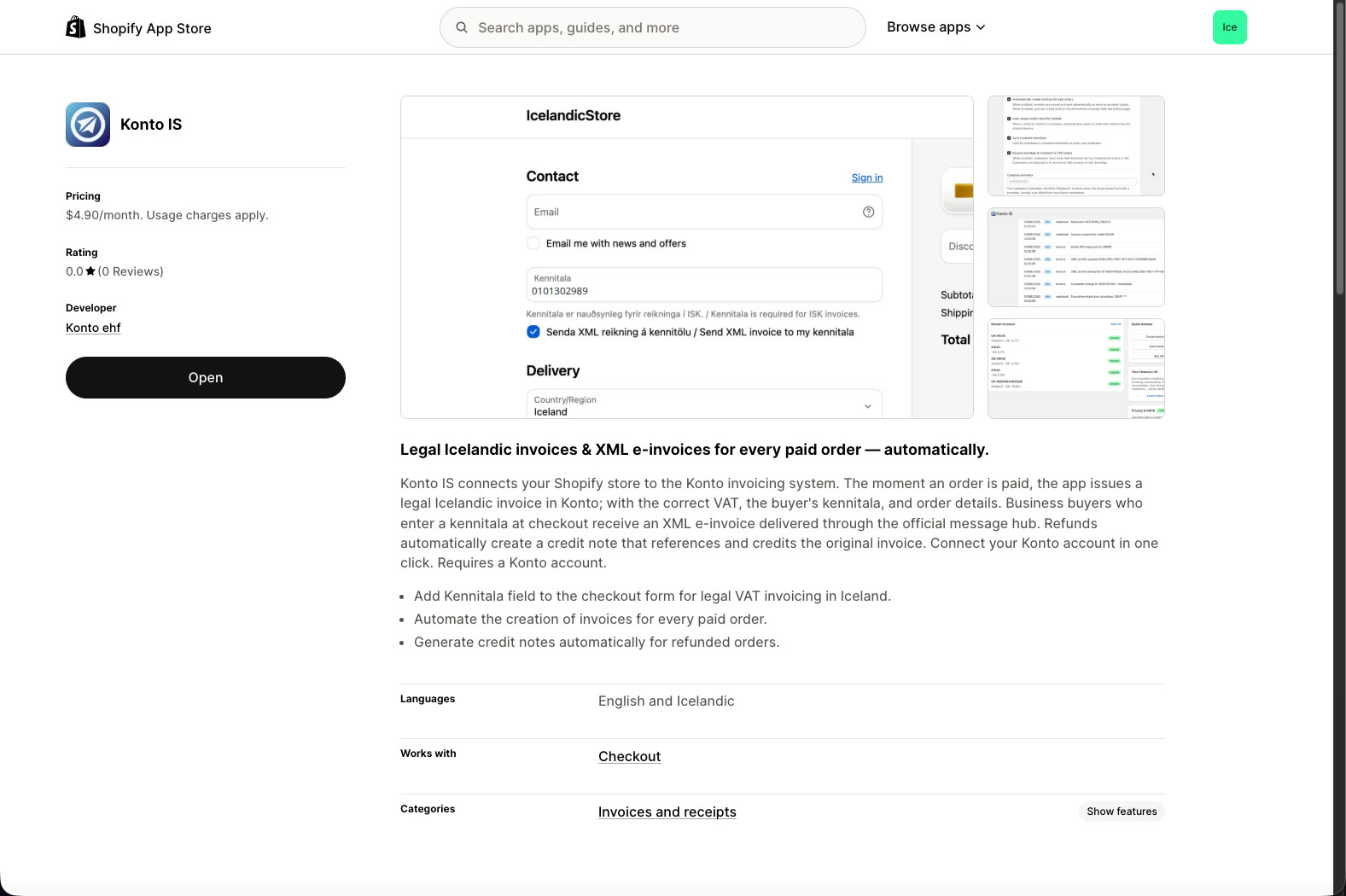
Go to the Shopify App Store and search for Konto IS. Click Install to add the app to your store. You will need a Konto account — if you do not have one yet, you can sign up for free at konto.is.
- 2
Open the app and start connecting
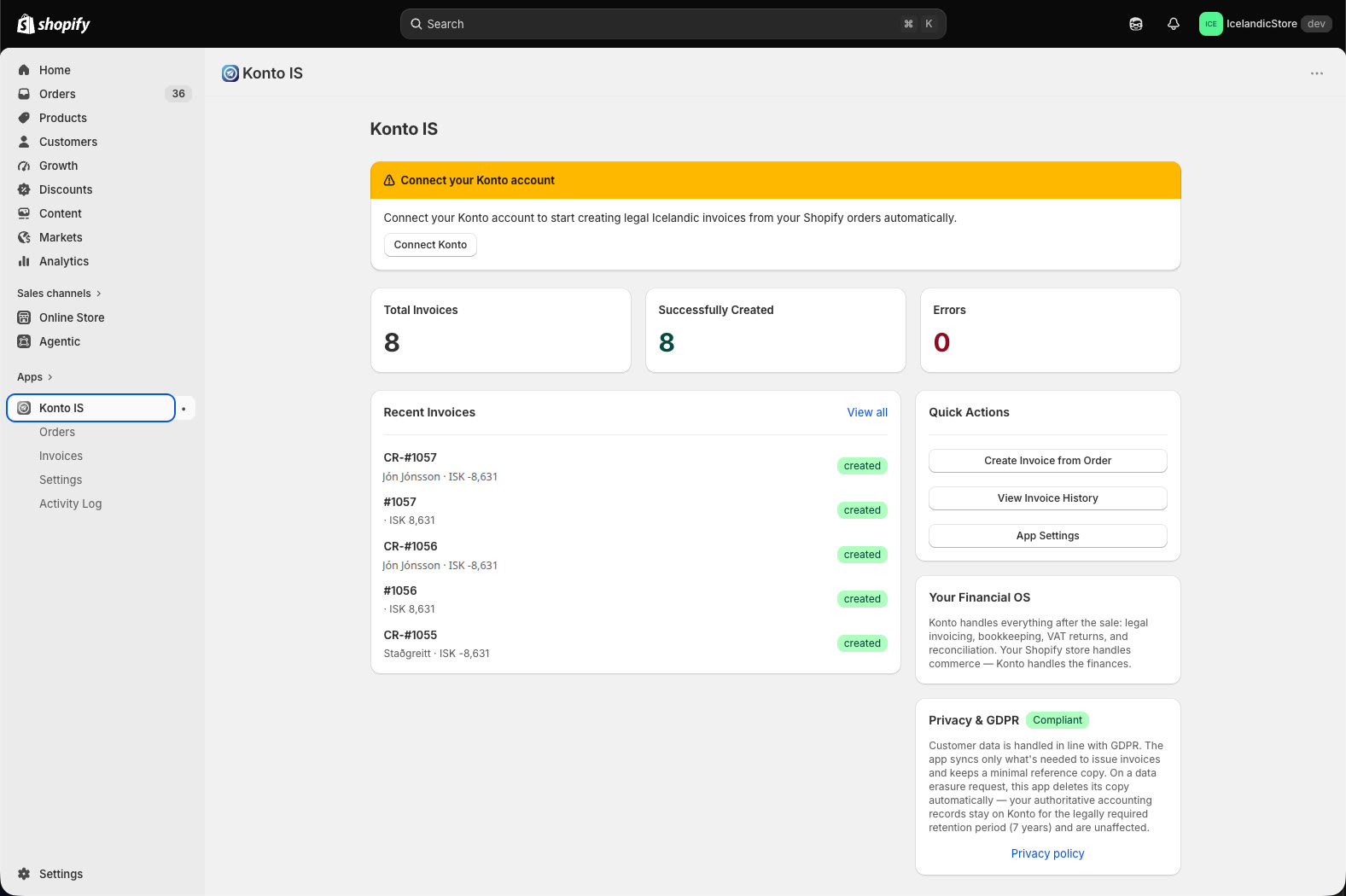
When Konto IS opens in your Shopify admin, you will see a yellow banner at the top reading “Connect your Konto account”. Click “Connect Konto” to start the connection process. You can also go directly to Settings to find the connect button.
- 3
Click “Connect Konto Account” in Settings
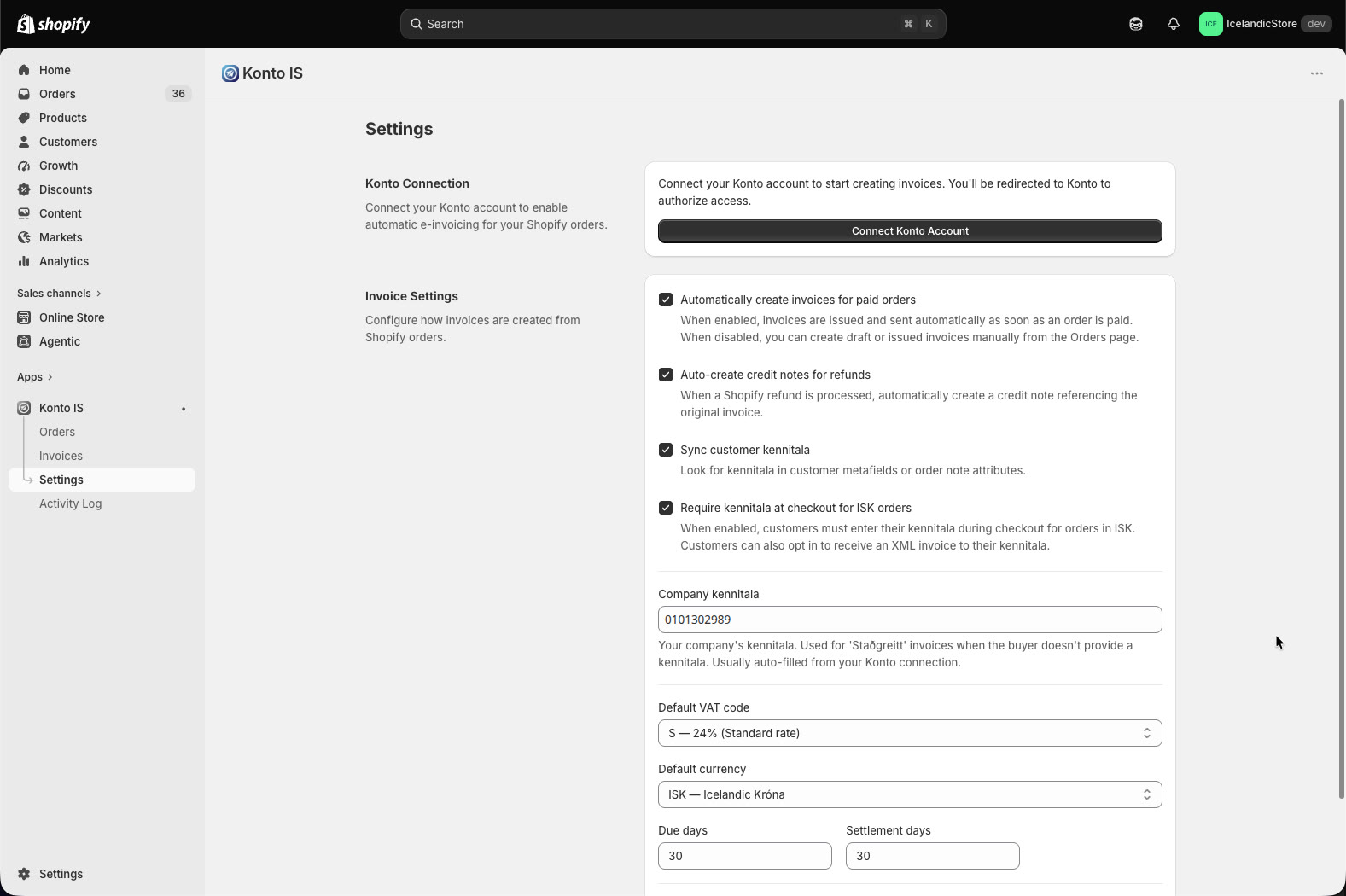
On the Settings page you will see the Konto Connection card at the top. Click “Connect Konto Account”. You are then redirected to Konto to approve the app’s access.
- 4
Grant access in Konto
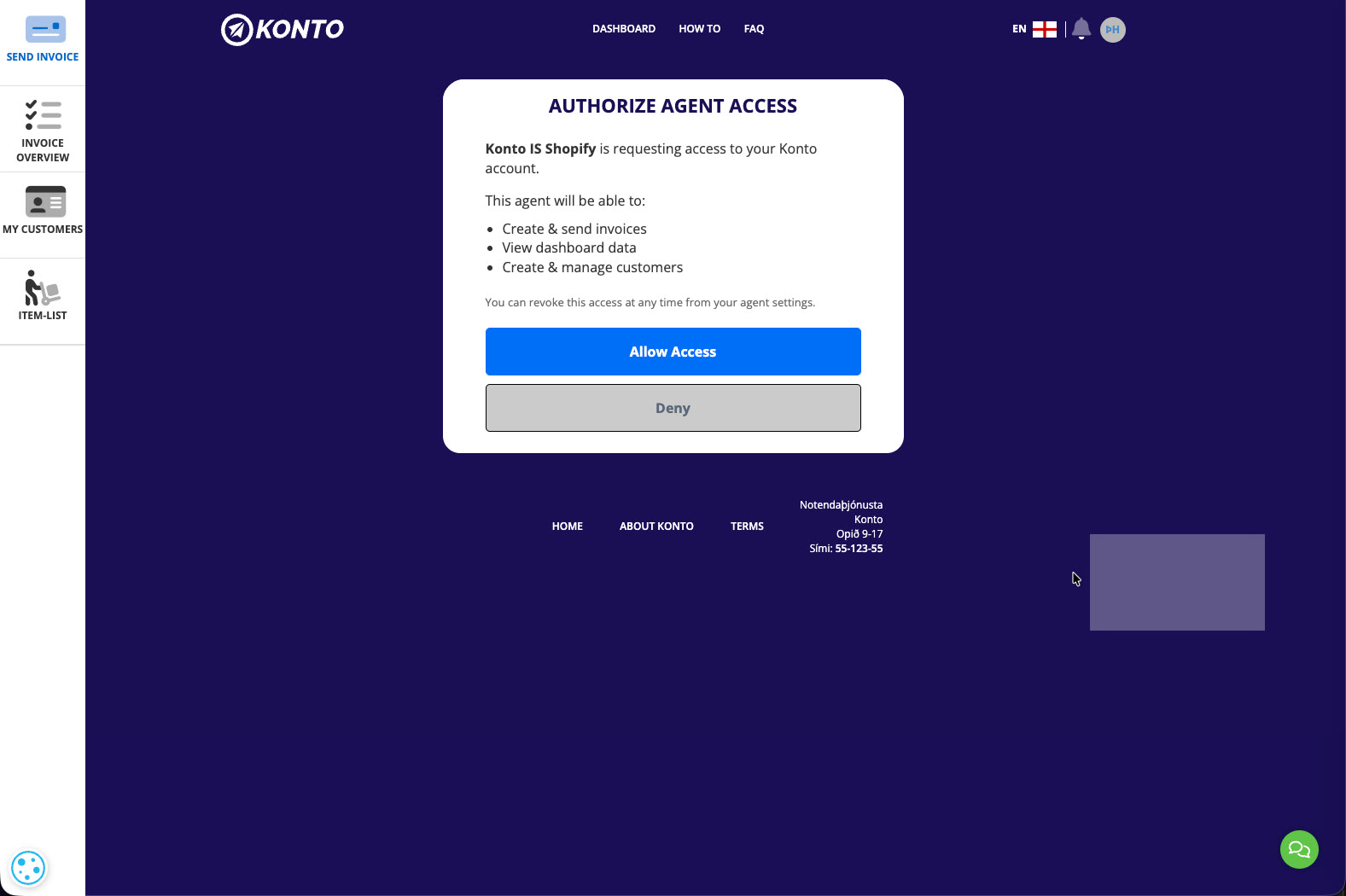
In Konto you will see a screen asking you to grant Konto IS Shopify access. The app requests permission to:
- create and send invoices,
- view dashboard data,
- create and manage customers.
Click “Allow Access”. This access can be revoked at any time in your Konto agent settings.
- 5
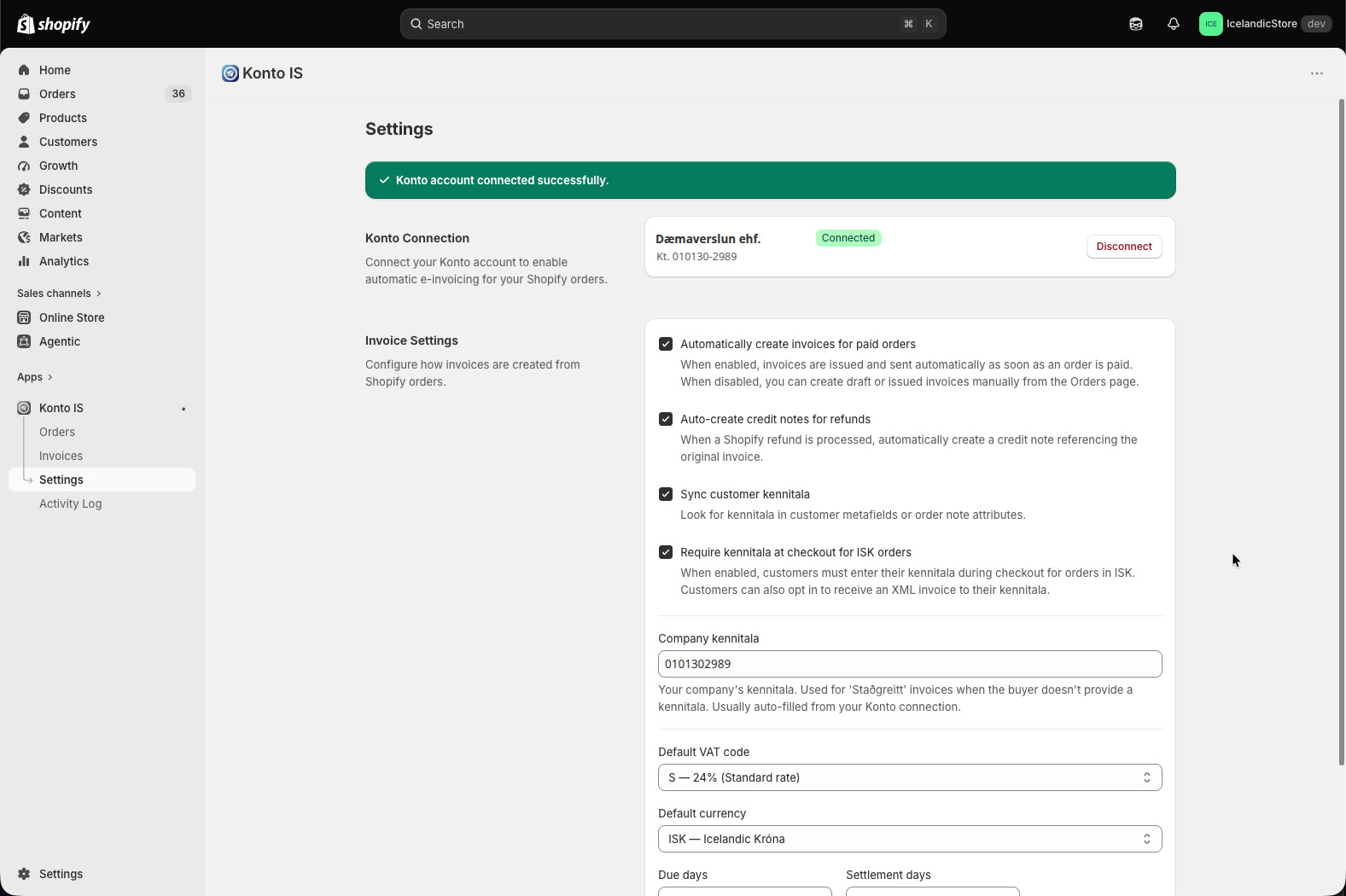
Connected — review and save your settings
You are redirected back to Shopify and see: “Konto account connected successfully”. Your Konto account appears with its name, kennitala, and a Connected badge.
Review the settings below and adjust as needed:
- “Automatically create invoices for paid orders” — turn this on to issue invoices automatically.
- “Auto-create credit notes for refunds” — a credit note is created automatically on refund.
- “Sync customer kennitala” — reads kennitala from metafields or order note attributes.
- “Require kennitala at checkout for ISK orders” — requires Shopify Plus.
- “Default VAT code”: S — 24% standard rate.
- “Due days” and “Settlement days”: 30 days by default.
Click “Save” when you are done.
- 6
Open the checkout editor (Shopify Plus)
Go to
Online Store → Themes → Customize. Open the page picker at the top of the theme editor and select “Checkout and customer accounts”. This opens the checkout editor where you can add custom fields.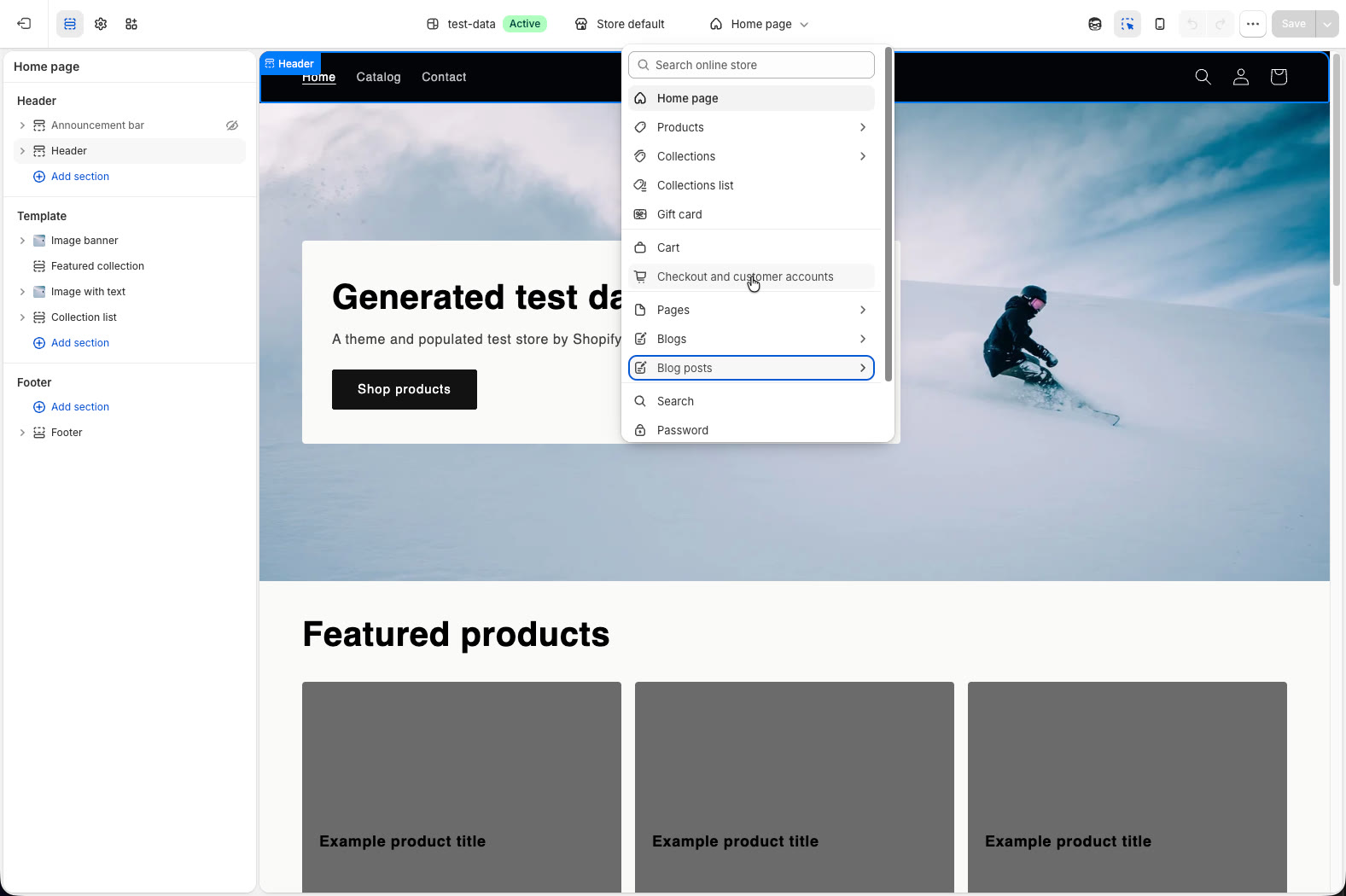
- 7
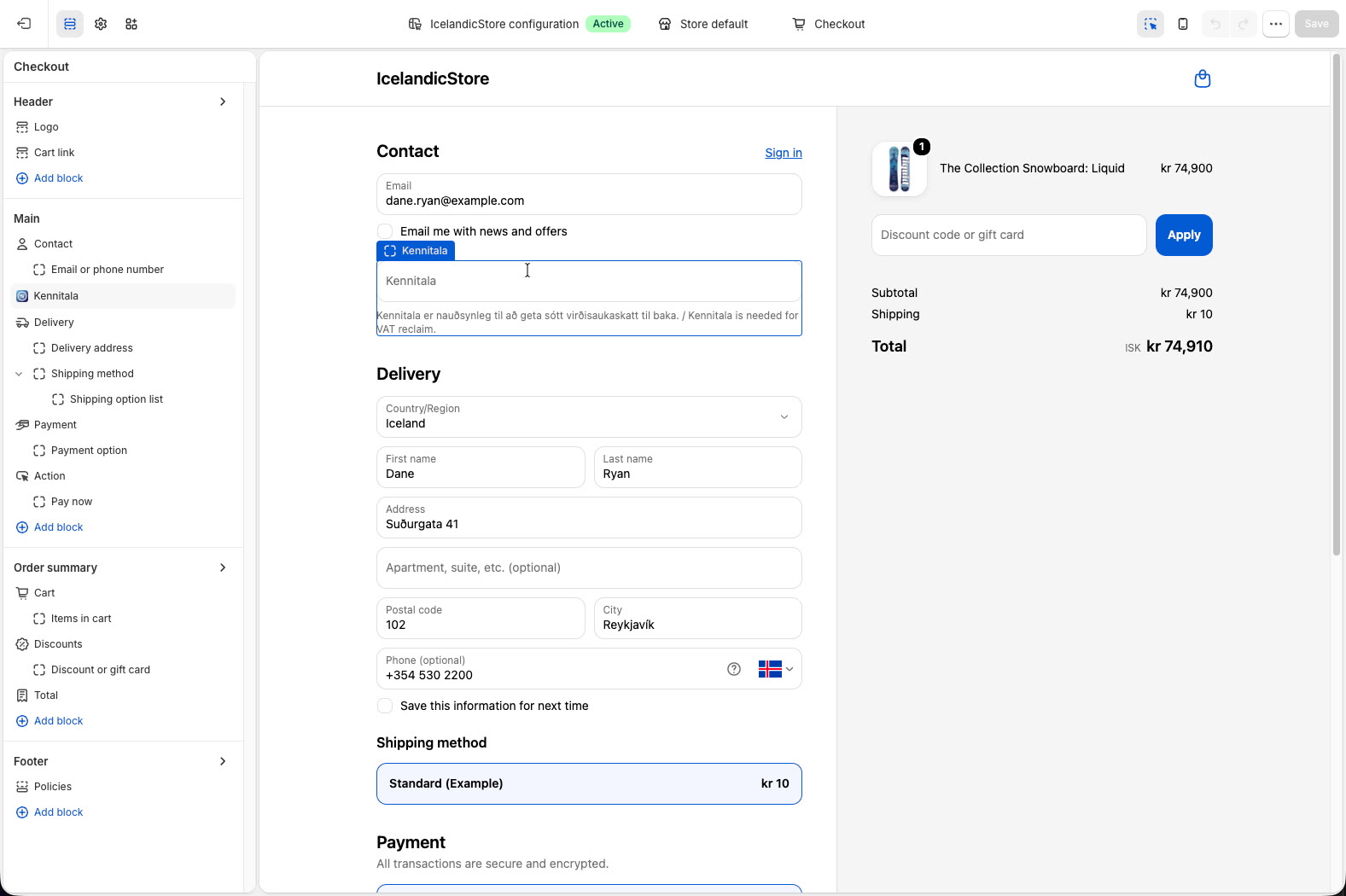
Add the “Kennitala” block under Contact
In the checkout editor click “Add block” under the Contact section and select the “Kennitala” block from Konto IS. Click “Save” to save the theme.
The field appears for buyers at checkout when paying in ISK. Once a full 10-digit kennitala is entered, an option appears to receive an XML e-invoice delivered directly to their accounting system.
- 8
View invoices in Konto IS
Go to
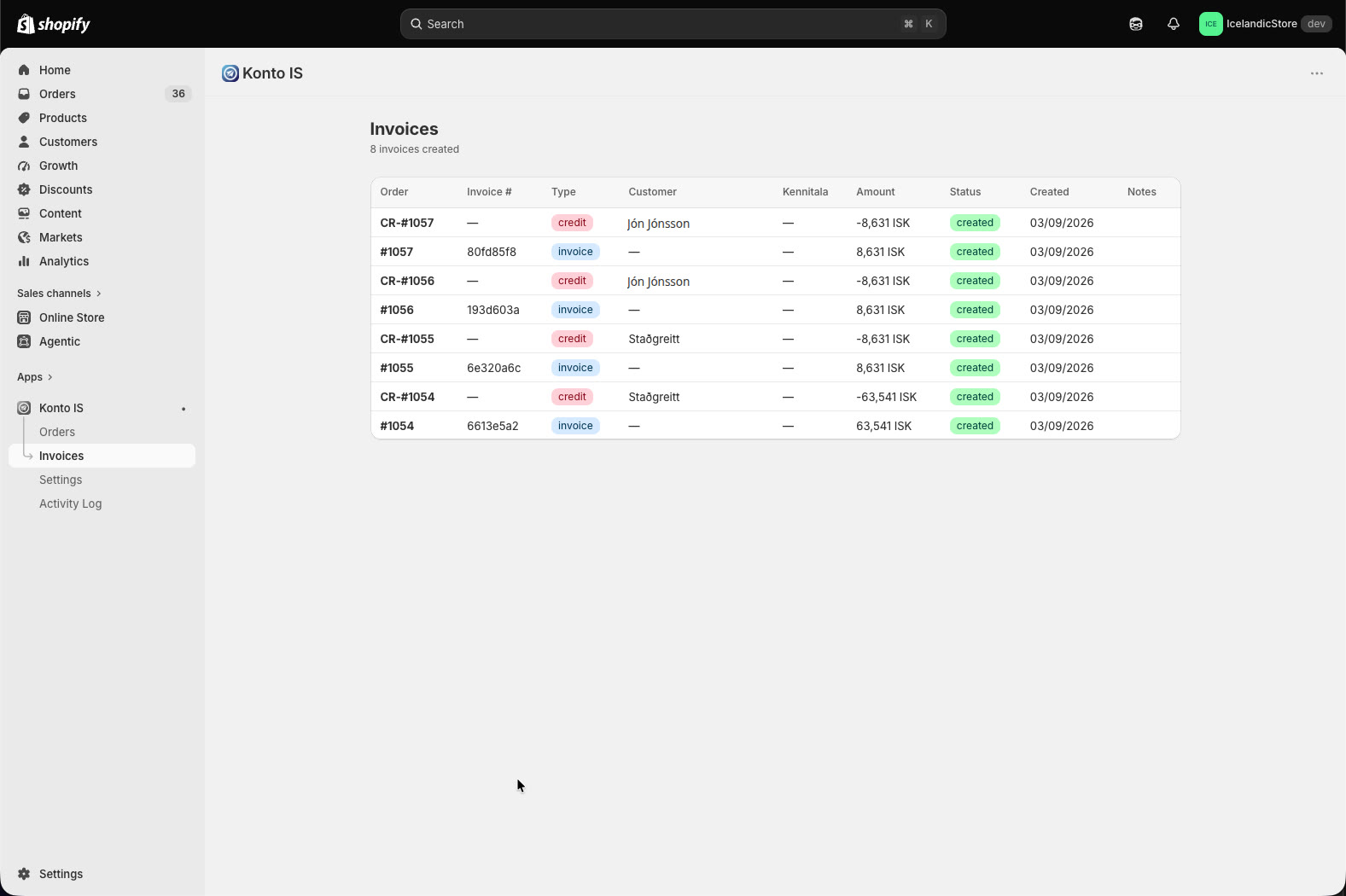
Konto IS → Invoicesin your Shopify admin to see all invoices:- Paid orders have an invoice with status created.
- Refunds are labelled CR-#… (credit note).
- Orders without a kennitala appear as “Staðgreitt” — a cash sale issued against the store’s own kennitala.
- 9
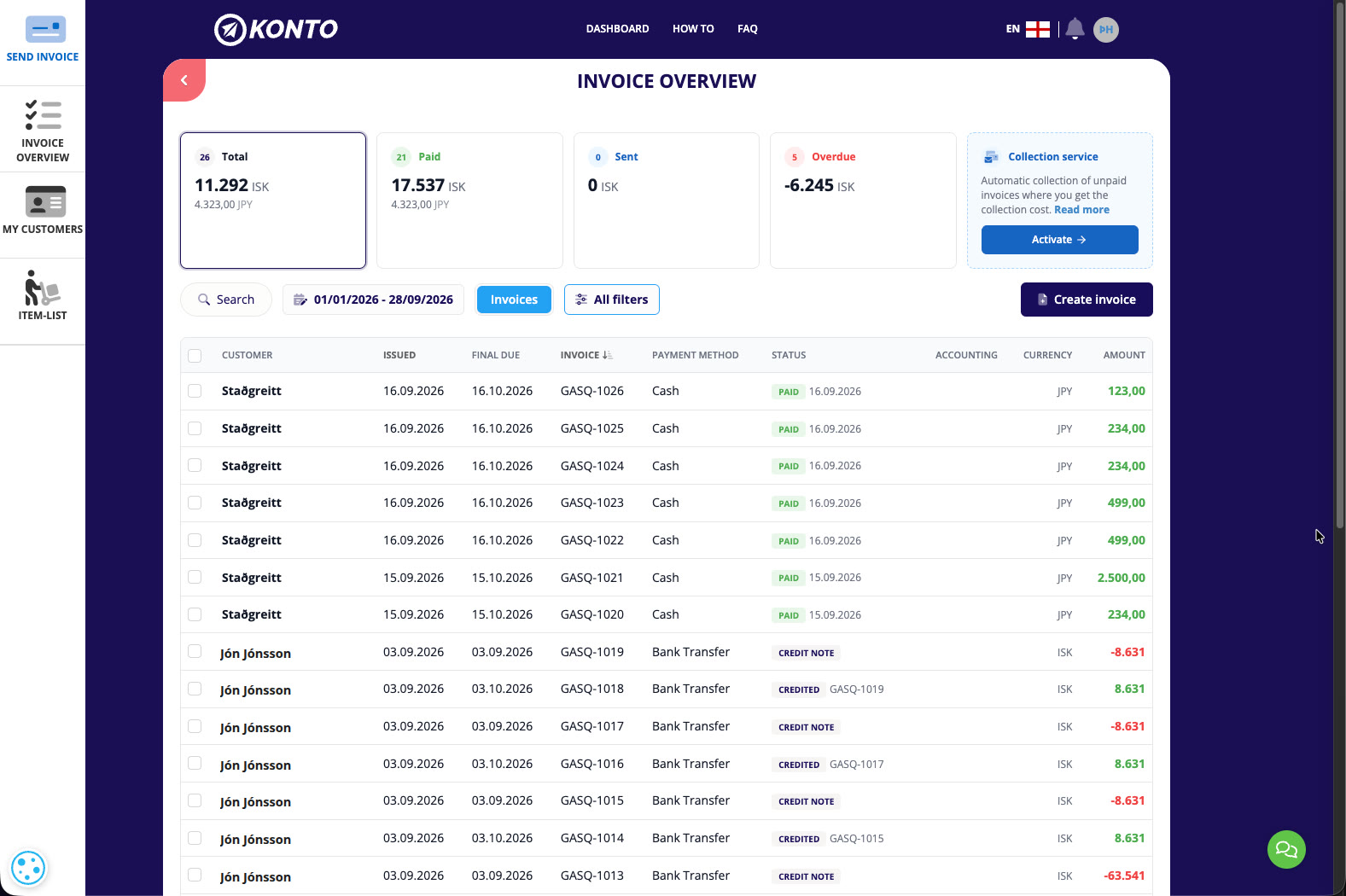
Invoices also appear in Konto
All invoices from Shopify also appear in the Konto invoice overview at konto.is. There you can see their status — Paid, Credit note, or Credited — and use them for bookkeeping and VAT returns.
Orders where the buyer did not provide a kennitala appear as “Staðgreitt” (cash sale) — the invoice is issued against the store’s company kennitala and is legally valid, but not linked to a specific buyer.


Tips
The kennitala field at checkout requires Shopify Plus
Shopify only allows app blocks in checkout on a Shopify Plus plan. On all other plans invoices are still created automatically. The app can also read a kennitala from customer metafields or order note attributes if one is available.
Konto IS pricing
Konto IS is billed by Shopify: $4.90 per month plus $0.29 per invoice issued (billed every 30 days in USD). These invoices do not use Konto credits.
You can turn off automatic invoicing
If you want full control over invoice issuance, turn off “Automatically create invoices for paid orders” in Settings. You can then create invoices manually from the Orders page in Konto IS.
Common questions
Do I need Shopify Plus to use Konto IS?
No. Konto IS works on all Shopify plans and creates invoices automatically on all of them. However, the kennitala field at checkout is only available on Shopify Plus. On other plans, the app can read a kennitala from customer metafields or order note attributes.
What happens if the buyer does not provide a kennitala?
The invoice is issued as a cash sale against the store’s own kennitala. It appears as “Staðgreitt” in the Invoices view. The invoice is legally valid but is not linked to an individual or company.
How are refunds handled in Shopify?
When a refund is created in Shopify, Konto IS automatically creates a credit note in Konto referencing the original invoice. The credit note appears as CR-#… in the Invoices view and also in the Konto invoice overview.
What does Konto IS cost?
Konto IS is billed by Shopify: $4.90 per month plus $0.29 per invoice issued (billed every 30 days in USD). These invoices do not use Konto credits.
Can I turn off automatic invoice creation?
Yes. Go to Settings in Konto IS and turn off “Automatically create invoices for paid orders”. You can then issue invoices manually from the Orders page whenever you like.
How do I disconnect Konto or revoke the app’s access?
In Settings in Konto IS, click the “Disconnect” button next to the connected Konto account. You can also revoke access in your Konto agent settings at konto.is at any time.
Does the buyer receive the invoice by email or as an XML e-invoice?
How the invoice is delivered to the buyer depends on the settings in your Konto account. Buyers in Shopify Plus stores who enter a kennitala can opt in to receive an XML e-invoice delivered directly to their accounting system through the official Icelandic message hub.
Questions? support@konto.is