
How to send a cash-payment invoice in Konto
To issue a cash-payment invoice in Konto you need to create a dedicated customer named “Staðgreitt” and use your own kennitala as the buyer's registration number. This satisfies the formal requirements for recording cash sales. Once the customer is set up you can reuse it for every cash-payment invoice — no need to create it again each time.
- 1
Open "Customers"
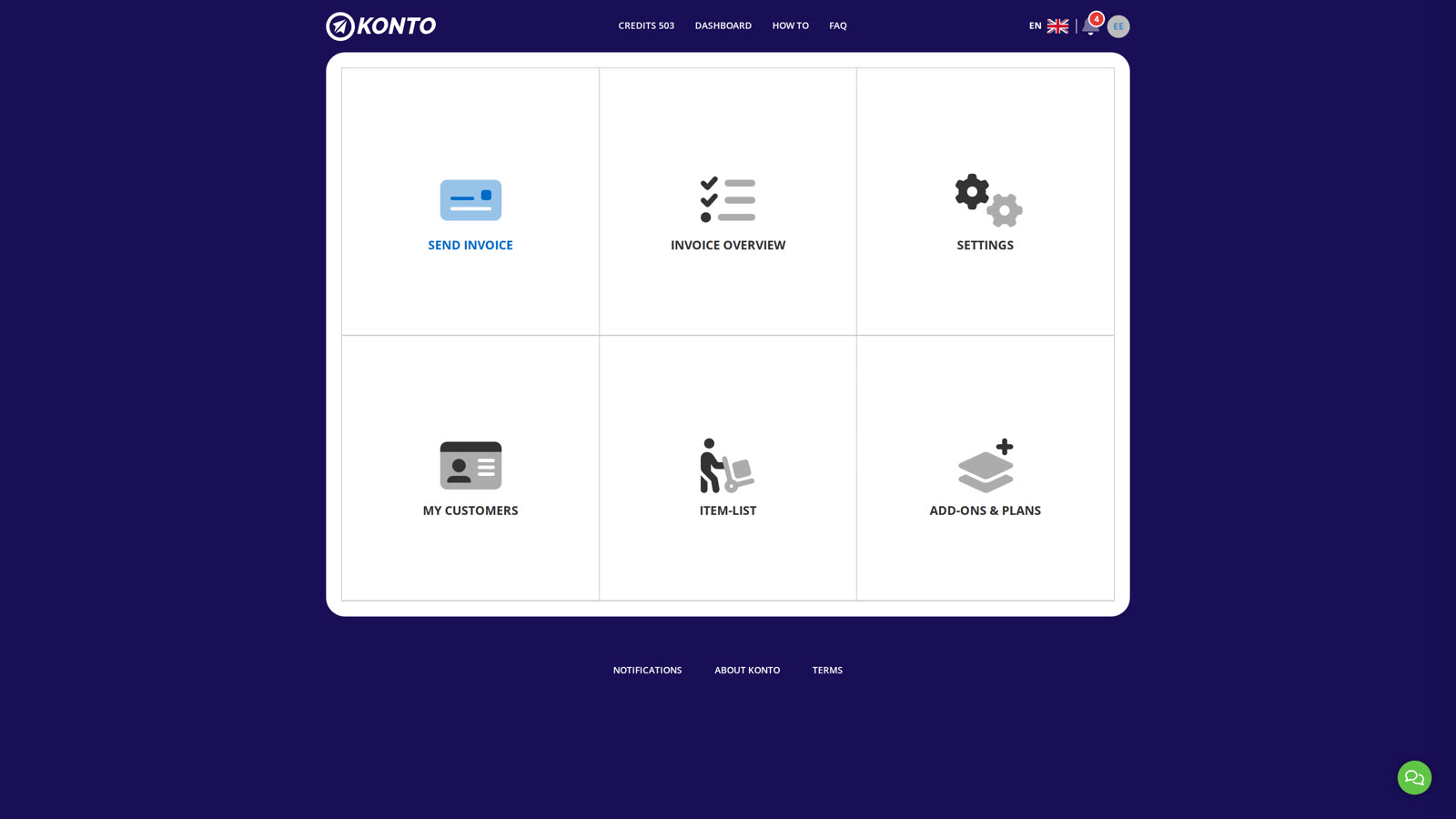
To send a cash-payment invoice in Konto, create the Staðgreitt customer once and then send all cash invoices to it. Start on the dashboard and click My Customers.
- 2
Search for “Staðgreitt” and add a new customer
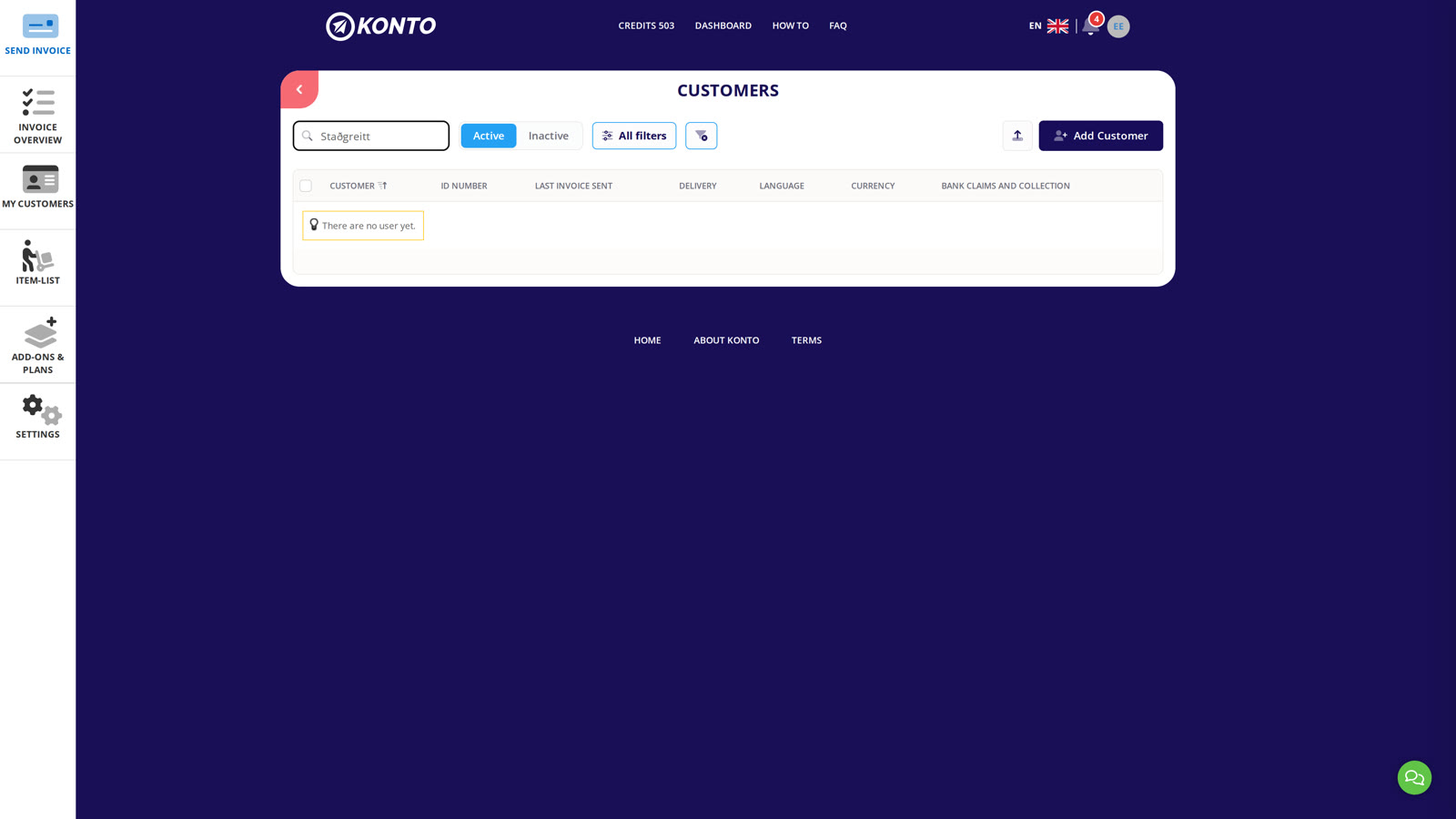
Search for Staðgreitt first to check whether the customer already exists. If it does, skip to step 5. If the search returns no results, click Add Customer.
- 3
Enter your kennitala and the name “Staðgreitt”
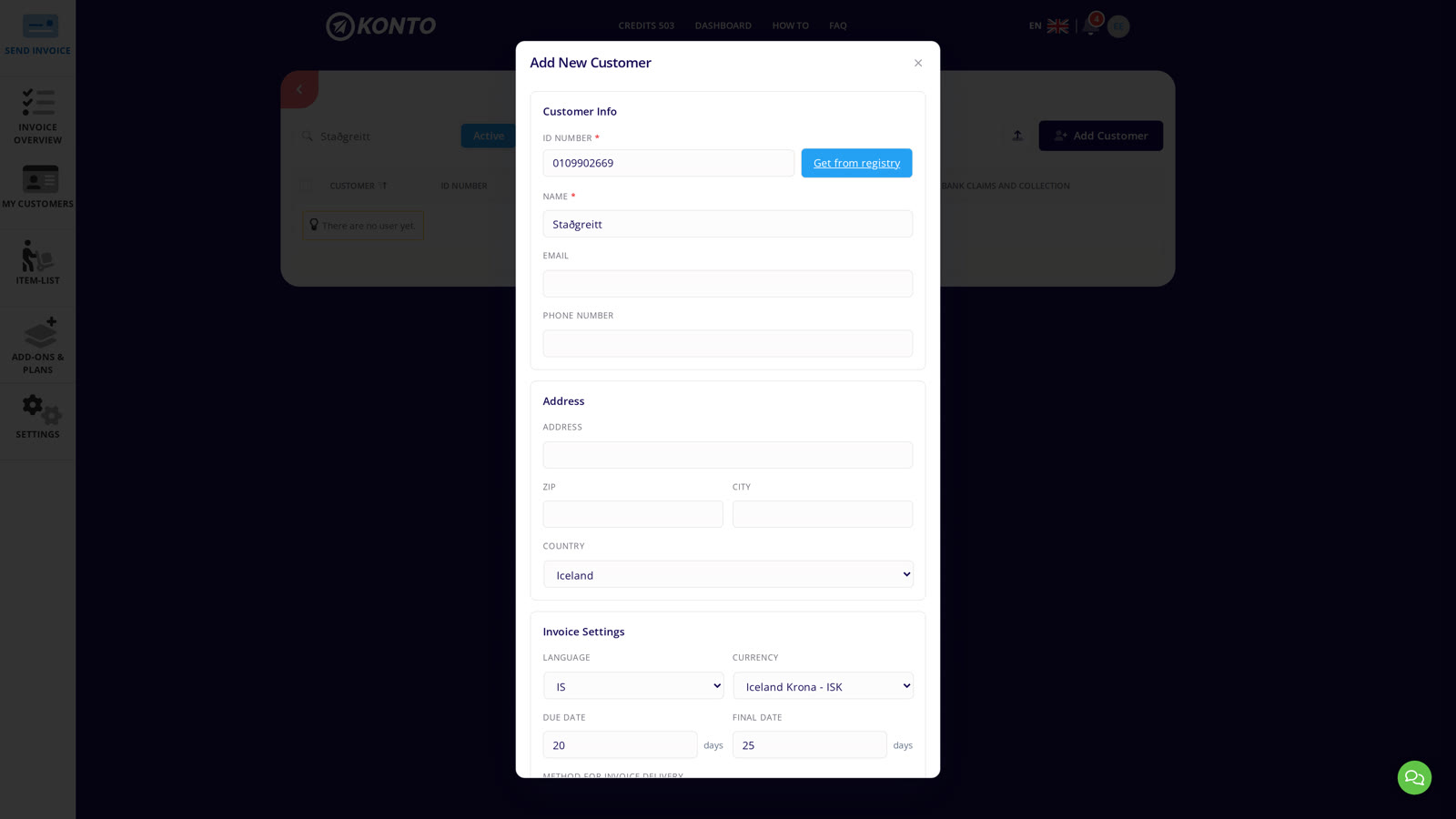
In the Add New Customer dialog, enter your company's kennitala (the business issuing the invoice) in the ID Number field and type Staðgreitt in the Name field. Email address, phone number, and address can all be left blank.
- 4
Select “Print” and save the customer
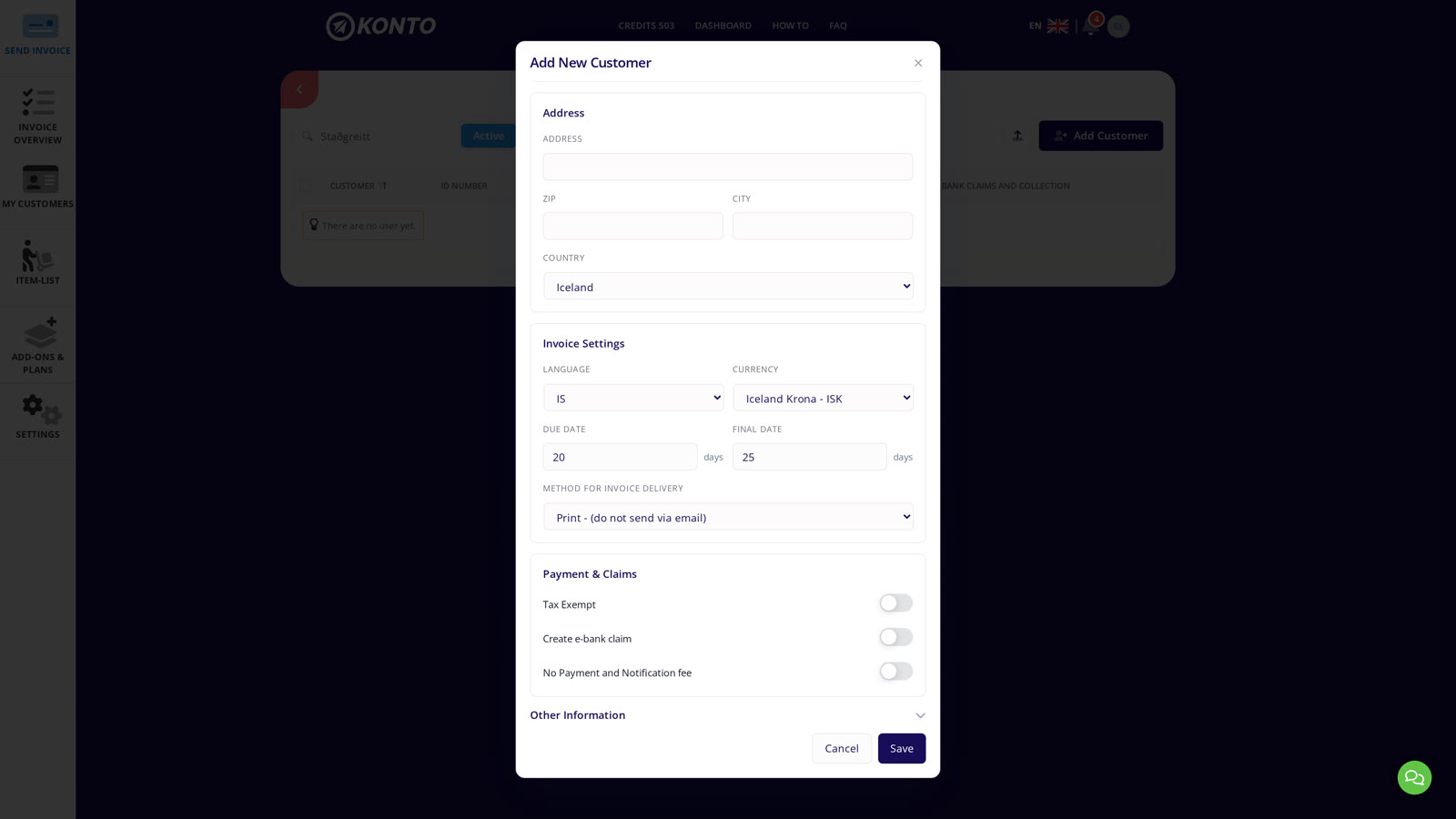
Further down the dialog:
- Under Method for invoice delivery select Print - (do not send via email).
- Under Payment & Claims, make sure Create e-bank claim and No Payment and Notification fee are inactive — the payment has already been received.
- Click Save.
- 5
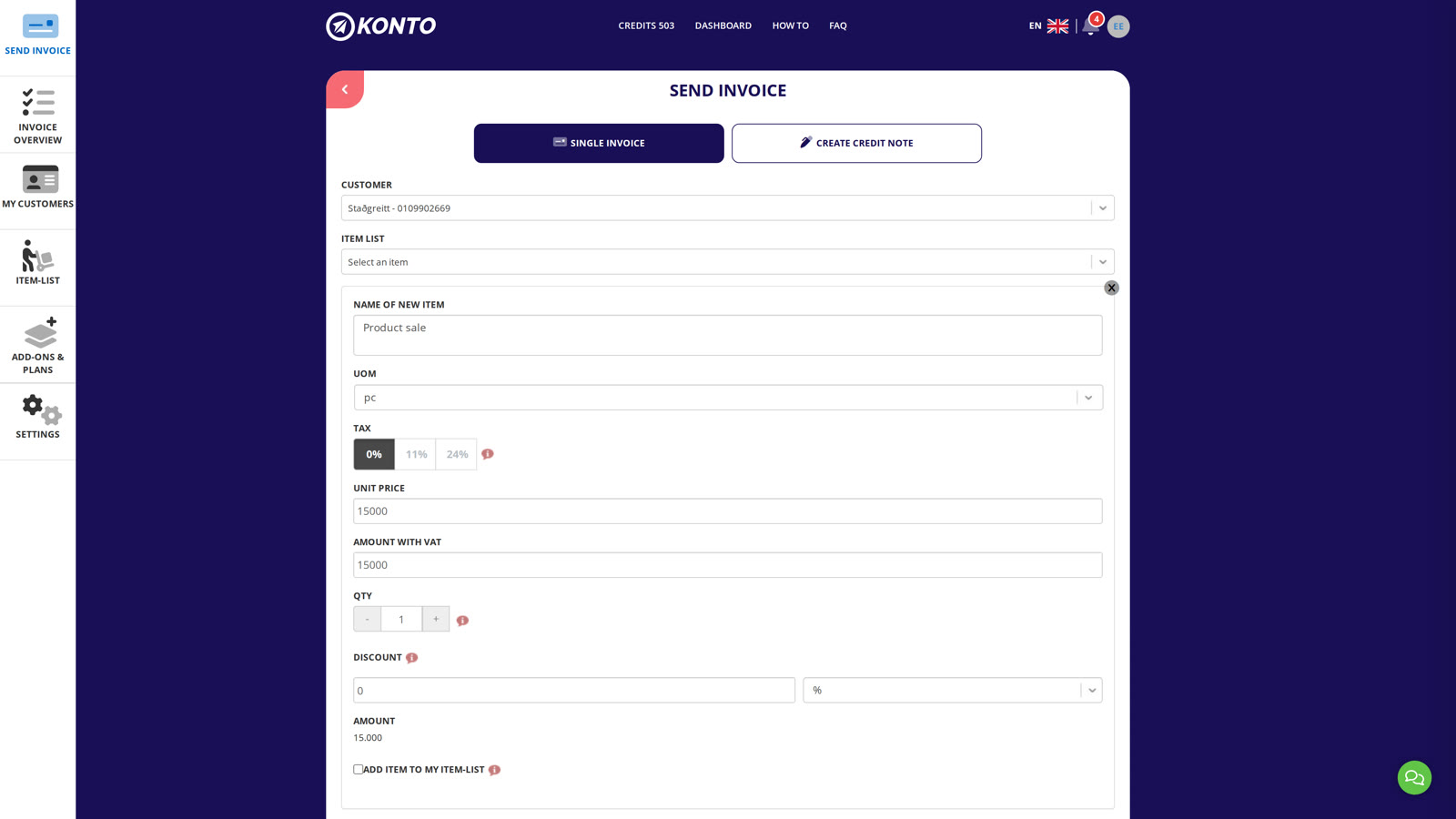
Select “Staðgreitt” in “Send invoice”
Once the customer is saved there are two ways to open the invoice form — no need to visit “Invoice overview”:
- Directly under
My customers— click “Send invoice” next to the Staðgreitt entry in the list. - From the dashboard — click “Send invoice” in the sidebar and select Staðgreitt as the customer.
Add your product or service lines and click “Review and send”.
- Directly under
- 6
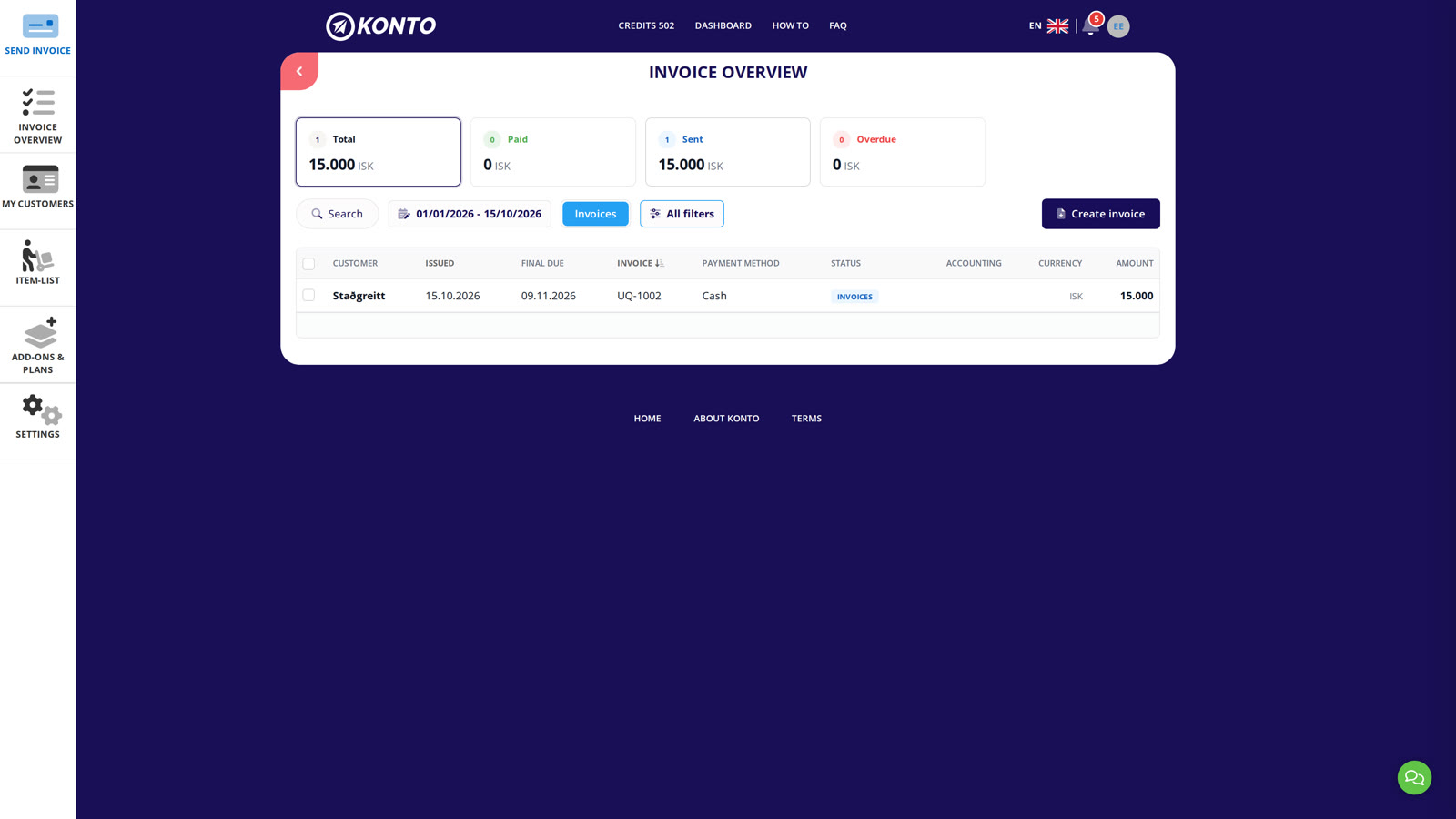
The invoice appears in Invoice overview
The invoice appears immediately in Invoice overview with Staðgreitt as the customer and Cash as the payment method. It is not sent by email — print it and hand it to the buyer.


Tips
Reuse the same customer every time
You only need to create the “Staðgreitt” customer once in Konto. Select it as the buyer each time you issue a cash-payment invoice — it keeps your records consistent and saves time.
Foreign currencies
If you receive payment in a foreign currency (e.g. EUR or USD) you can select the currency on the customer card and Konto will apply it to the invoice.
Common questions
How do I set up the flow for sending a cash-payment invoice?
Create a customer named “Staðgreitt” and enter your own kennitala as the buyer's registration number. Set the delivery method to “Print - (do not send via email)”, leave the email blank, and disable claim creation and payment link. See steps 1–6 above.
Do I need to add an address and email for the “Staðgreitt” customer?
No. Address is optional and email can be left blank as long as the delivery method is set to “Print - (do not send via email)”.
Why do I use my own kennitala as the buyer's kennitala?
A cash-payment invoice must include a buyer's kennitala. Because the buyer is unknown or paying on the spot, the accepted practice in Konto is to use the sender's own kennitala to satisfy the formal requirements.
Can I enable claim creation on a cash-payment invoice?
No, it does not apply. Cash payment means the payment has already been received, so there is no reason to create a bank claim. Make sure both Create e-bank claim and No Payment and Notification fee are inactive on the customer card.
Do I need to create the “Staðgreitt” customer every time?
No. Once the customer is registered in Konto you can reuse it. Simply select it as the buyer each time you send a cash-payment invoice.
Can I print a cash-payment invoice from Konto?
Yes. When the delivery method is set to “Print - (do not send via email)”, Konto generates the invoice as a PDF that you can print and hand to the buyer on the spot.
Which subscription plan do I need to send a cash-payment invoice?
You can issue cash-payment invoices on all plans, including the free Grunnur plan which allows up to three invoices per month.
Questions? support@konto.is