
Add an extra user to the Tasklistinn
An extra user in the Tasklistinn is an employee who can log time on tasks directly in Konto – without access to invoices or any other part of the account. This is part 5 of 5 in the series Tasklistinn and Projects in Konto – it assumes you have already set up the Tasklistinn (see part 1) and created projects (see part 2). To use the Tasklistinn and add extra users you need the Sprotar, Vöxtur or Sérlausnir plan.
- 1
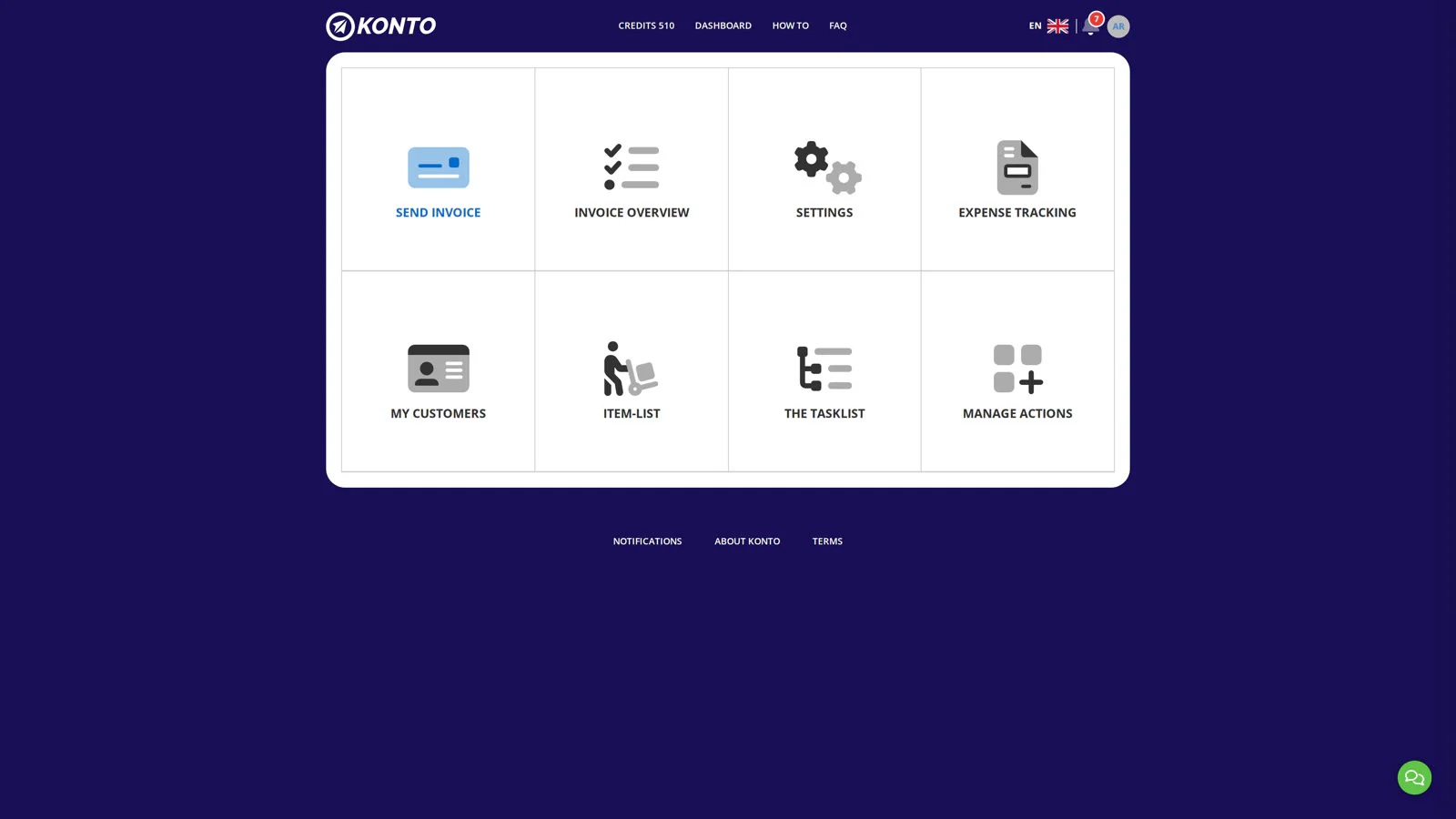
Open Aðgerðir og umsjón on the dashboard
Log in to Konto and click „Aðgerðir og umsjón” on the dashboard. This is where you manage settings and user access.
- 2
Click „Send invite for extra user” under Aðgerðir og umsjón
On the
Aðgerðir og umsjónpage, click „Send invite for extra user”. Here you can invite a new employee to your account.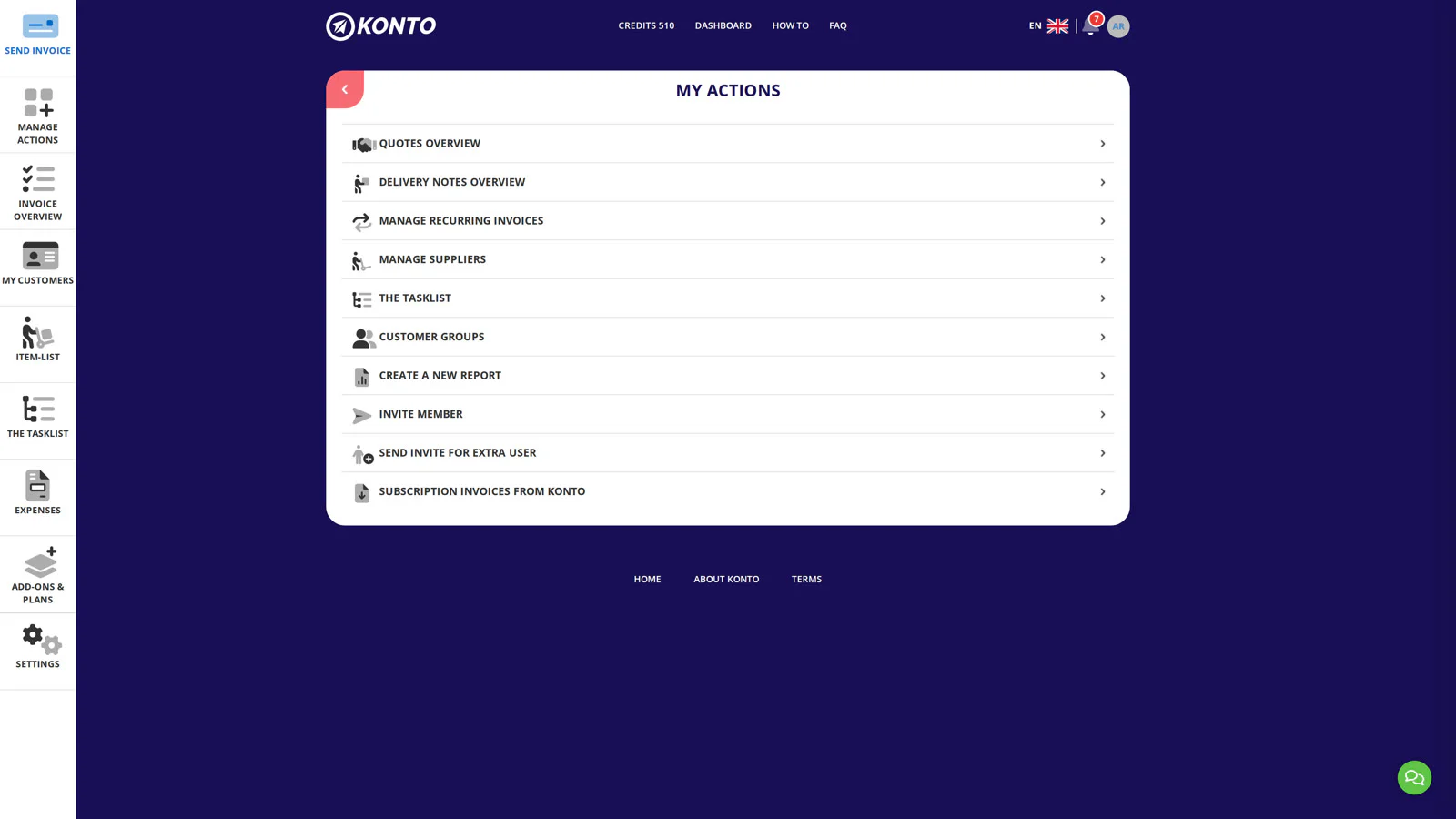
- 3
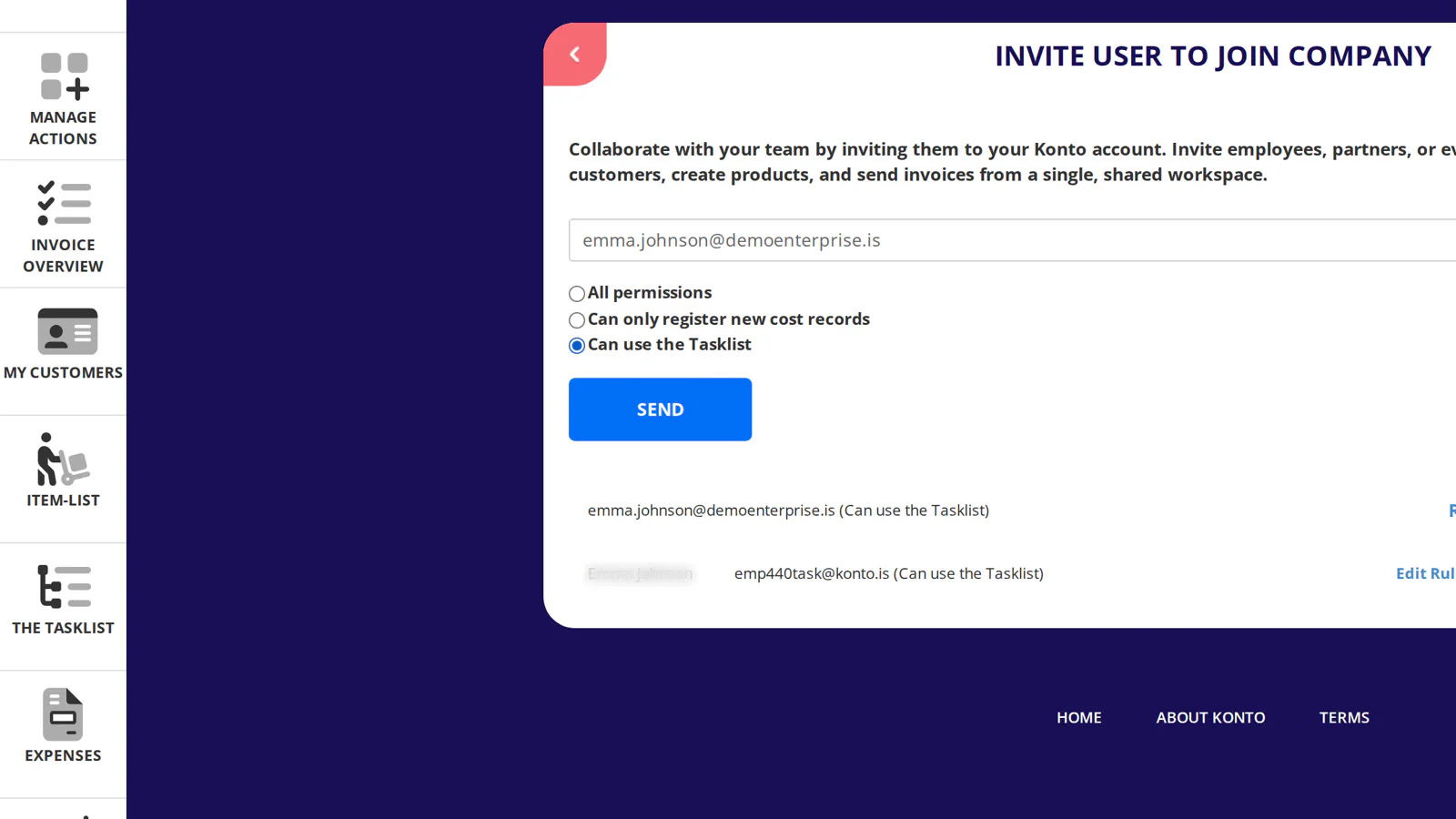
Enter the email address and select Tasklist access
Type the employee's email address in the field at the top of the page. Then select „Can use the Tasklist” as the access scope – this gives them access to the Tasklist only, with no access to invoices or any other part of the account. Finally click „Send”.
The employee will receive an email invitation to connect to your account.
- 4
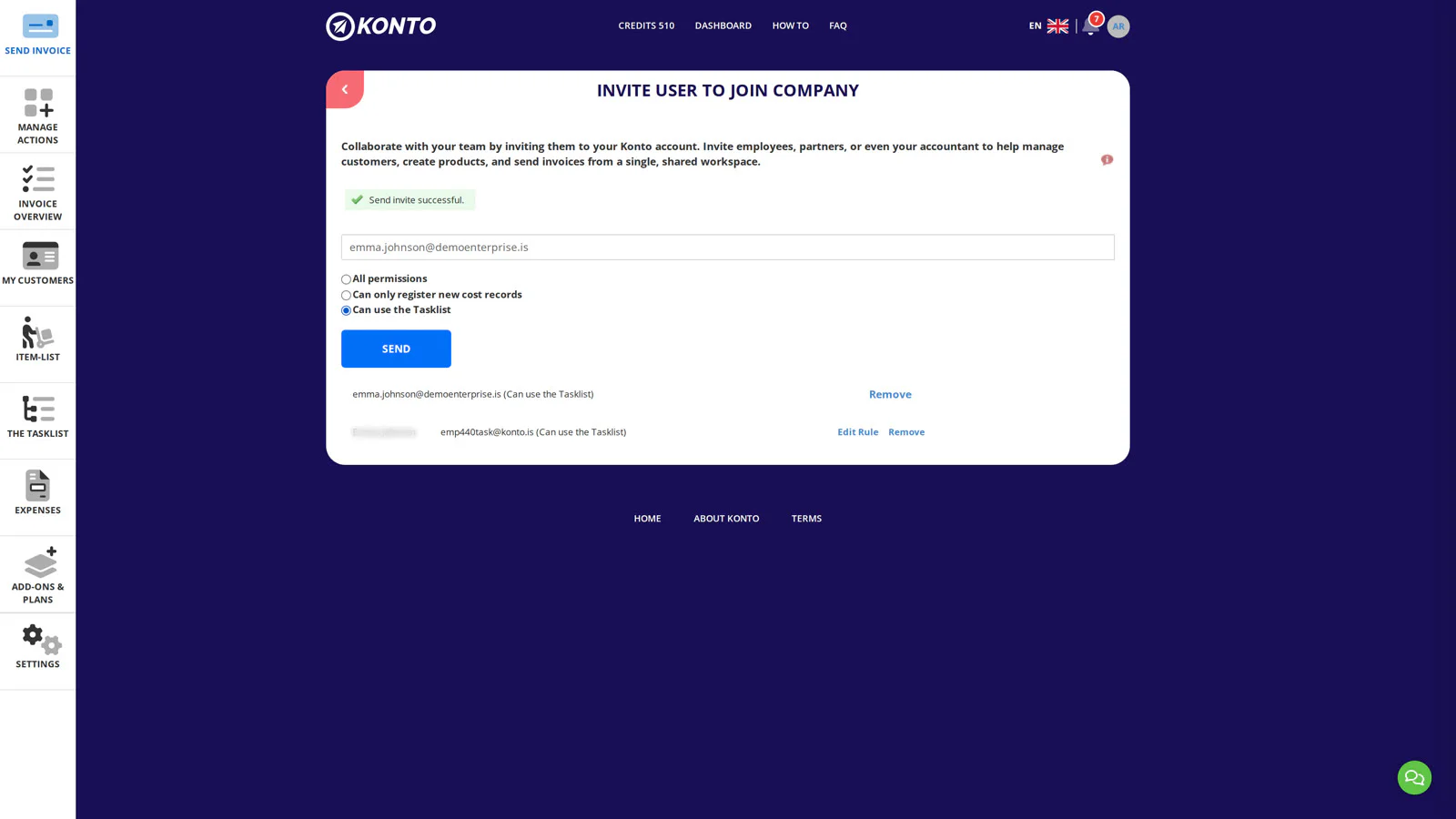
Invitation sent – the employee appears in the extra users list
Once the employee accepts the invitation, they appear in the list of extra users. You can return to
Aðgerðir og umsjón → Aukanotandiat any time and remove them by clicking „Remove”.Next we'll look at what the employee sees when they log in.
- 5
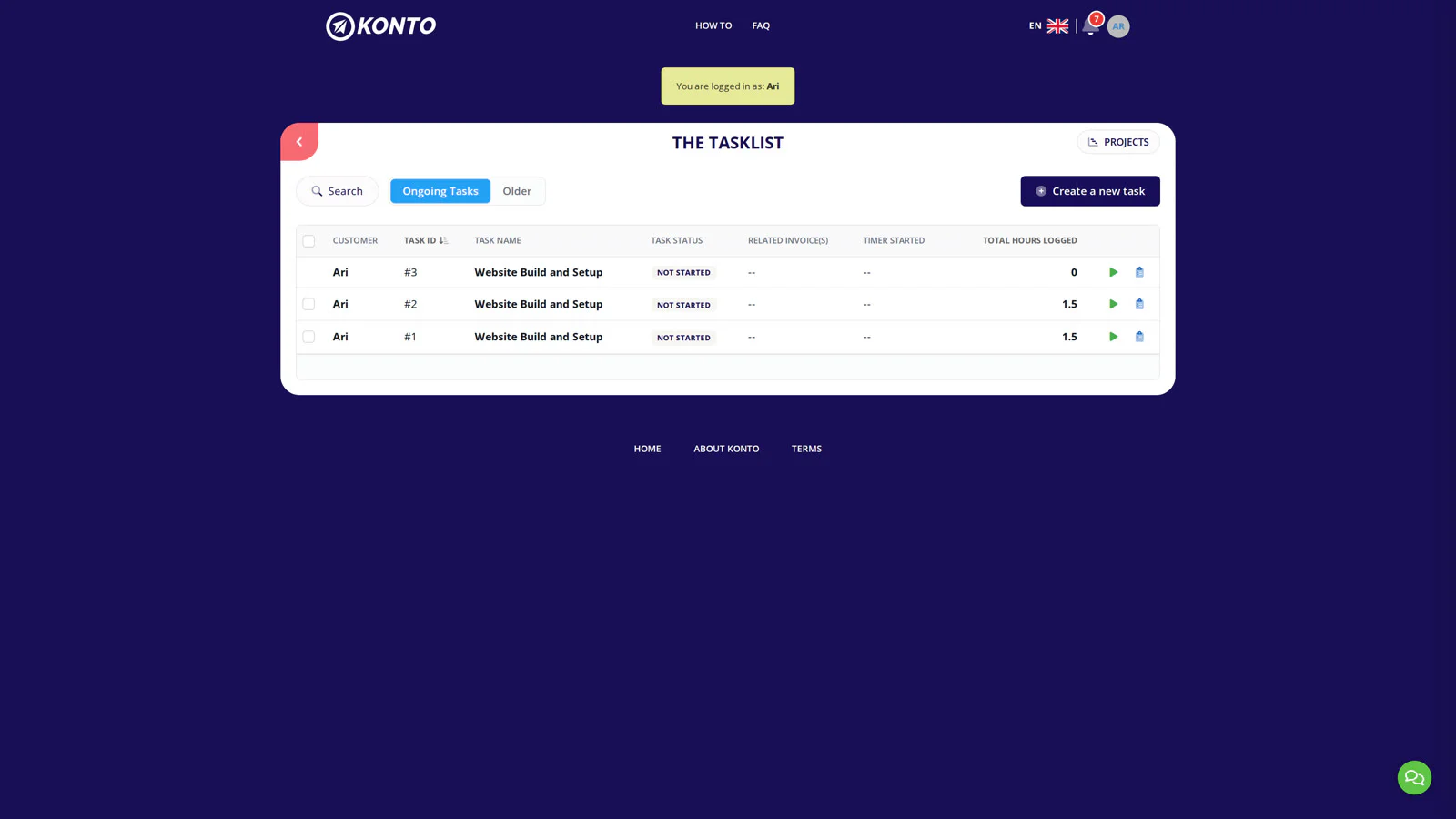
The employee sees only the Tasklistinn
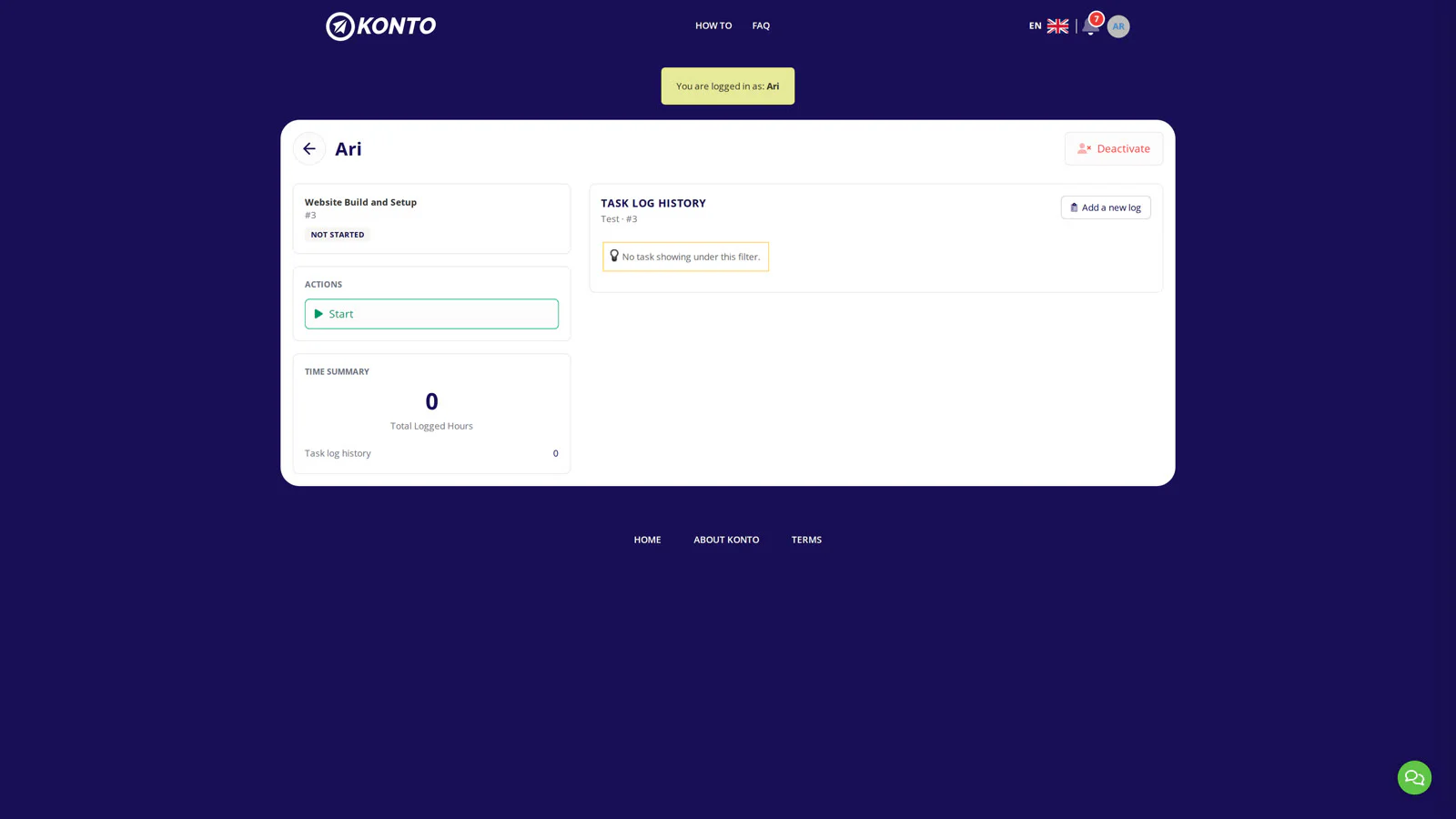
When the employee logs in to Konto they can see only the Tasklistinn – no other pages are accessible with this level of access. They see the tasks assigned to them and can click any task to open it and log time.
- 6
The employee clicks "Add a new log" on the task row
The employee finds their task in the Tasklistinn and clicks „Add a new log” on the task row to open the time-logging form.
- 7
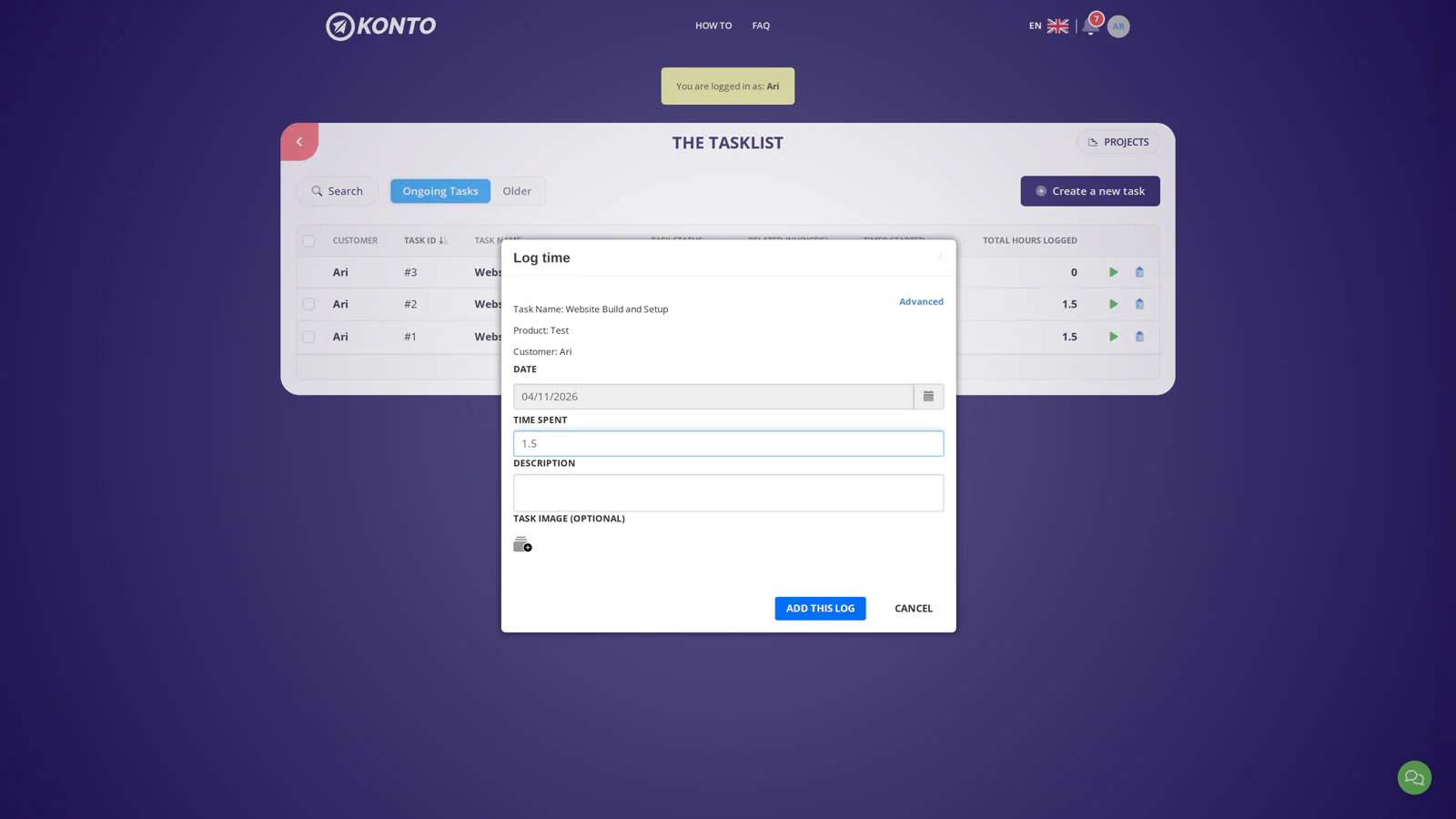
Fill in the hours and save the time entry
In the dialog that opens, the employee enters the number of hours worked – in this example 1.5 hrs. When the correct figure is entered they click „Add this log”. The time entry is saved immediately and becomes visible to the account owner in the Tasklistinn.
- 8
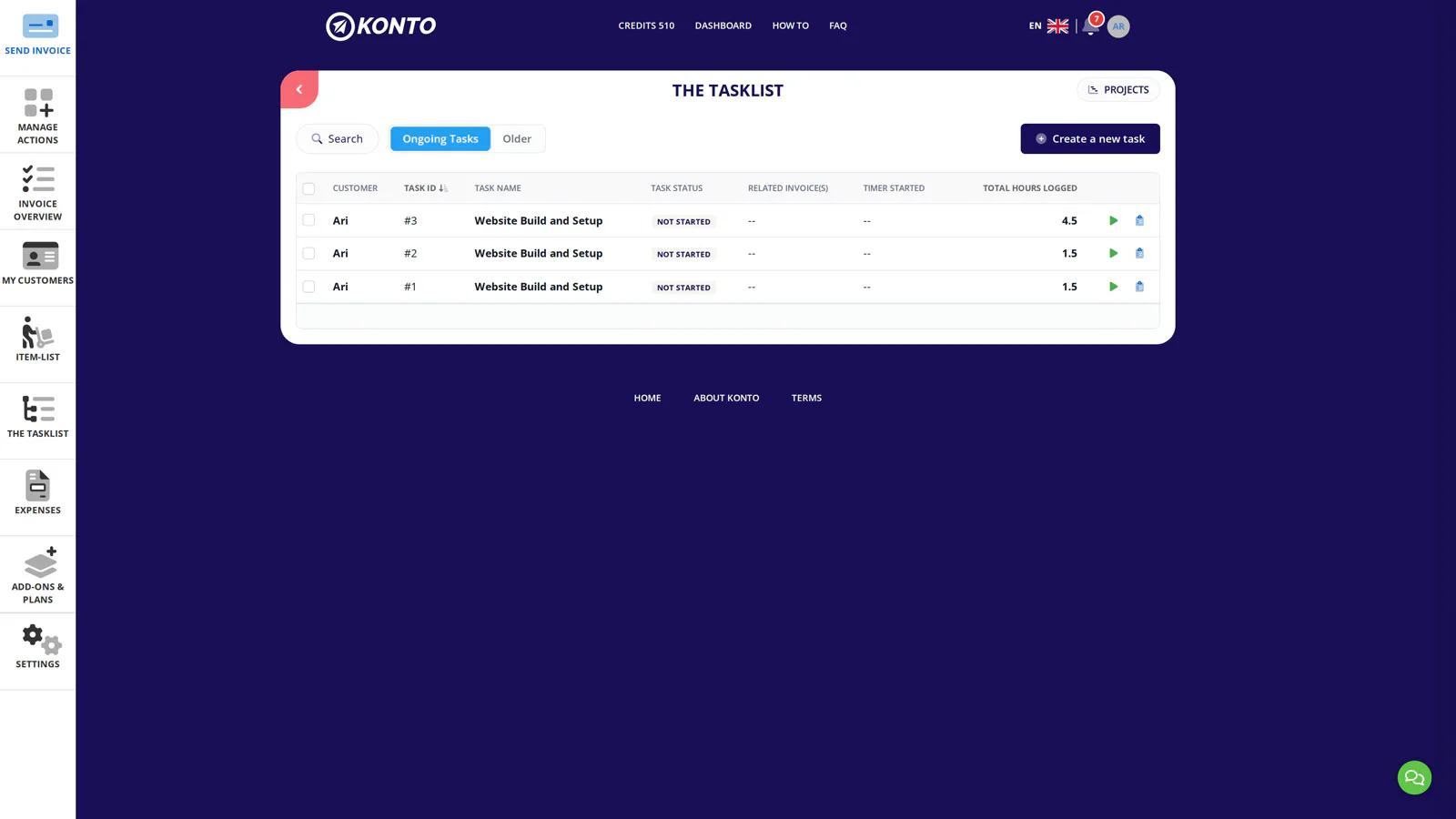
The owner sees the extra user's logged time in the Tasklistinn
Log back in as the account owner. In the Tasklistinn you can now see how many hours the extra user has logged against each task. This lets you track your team's time directly in Konto – no need to chase reports.


Tips
An extra user is not the same as a delegate
Extra users are for employees within your company. If you want to give a bookkeeper or other external party access, we recommend using the delegation feature instead – it is free for bookkeepers.
You can remove an extra user's access at any time
Go to Aðgerðir og umsjón → Aukanotandi, find the person in the list and choose to remove them. Access is revoked immediately.
The extra user does not need their own Konto subscription
The employee connects to your account and does not pay separately for Konto. They need a valid email address to accept the invitation and can link electronic ID to their sign-in.
Common questions
Which plan do I need to use extra users in the Tasklistinn?
You need the Sprotar, Vöxtur or Sérlausnir plan. Extra users in the Tasklistinn are not available on Grunnur or Fræ.
Can the extra user see invoices or other information in Konto?
No. An extra user granted access to the Tasklistinn only cannot see anything else. Invoices, settings and all other pages are inaccessible to them.
How do I remove an extra user's access?
Go to Aðgerðir og umsjón → Aukanotandi, find the person in the list and choose to remove them. Access is revoked immediately.
Does the employee need their own Konto account?
No. The employee connects to your account using their own email address and does not pay separately. They receive an email invitation and can link electronic ID to sign in.
Can I add more than one extra user to the Tasklistinn?
Yes, you can add more than one employee. All of them get access to the Tasklistinn and each person's logged time is visible there.
How does the employee see which tasks have been assigned to them?
As soon as they log in the Tasklistinn is displayed. They can see all tasks assigned to them or currently active on the account.
What is the best way to give a bookkeeper access to Konto?
We recommend adding them as a delegate rather than an extra user. See the full guide at heim.konto.is/veita-thridja-adila-adgang.
Questions? support@konto.is